

Overview
Translation takes your transcribed captions and produces natural, spoken-register captions in your target languages. Unlike literal machine translation, Neolli’s pipeline is specifically tuned for video captions — it accounts for sentence boundaries, speaker context, timing constraints, and language-specific patterns.Adding languages
- From the video workspace, click Add Languages
- Select target languages from the grid, or use a preset (Top 3, Top 5, Top 10)
- Choose whether to generate captions, dubbing, or both
- Click Start
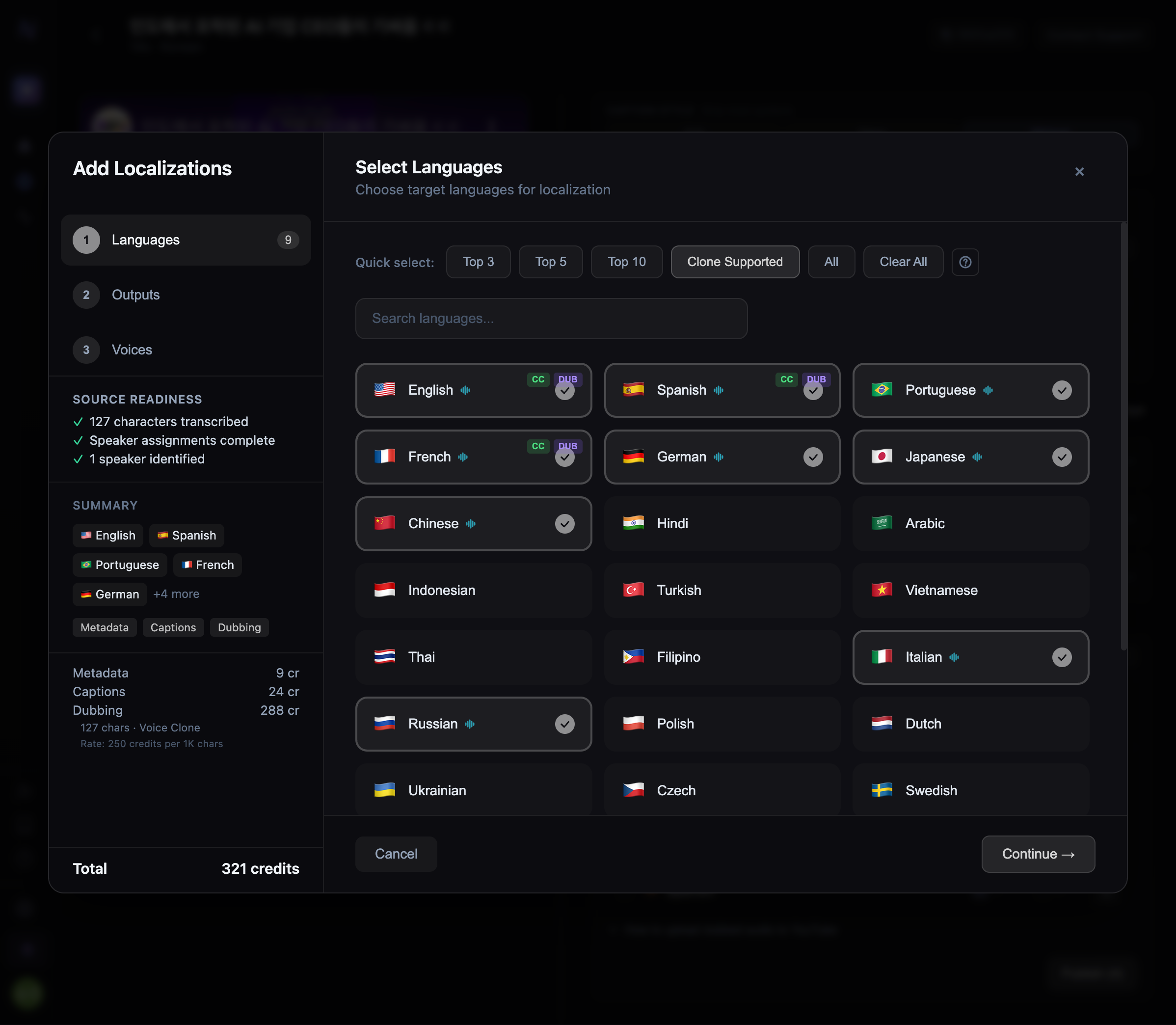
Language presets select the most popular YouTube audience languages by reach. Top 3 covers ~60% of global YouTube viewers, Top 10 covers ~85%.
Supported languages
Neolli supports translation into 30 languages. See Supported Languages for the full matrix with transcription and dubbing availability.How translation works
Neolli uses a 3-pass translation pipeline to balance accuracy, timing, and natural speech:- Caption translation
- Dubbing translation
For caption translation, the pipeline runs three passes:
- Translate — Sentence-aware translation that groups related segments and translates them as complete thoughts, maintaining speaker context and continuity
- Condense — Shortens any segments that exceed their available display time, keeping a naturalness floor (minimum 3 words) to avoid choppy output
- Polish — Fixes language-pair-specific issues like missing subjects (Korean), passive voice overuse (Japanese), or unnatural word order